
Download JustCall – AI‑Powered Business Communication Solution
Why JustCall Is Changing the Way Companies Communicate
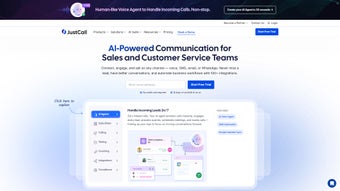
In today’s hyper‑connected marketplace, the ability to answer a customer call or reply to a text instantly can be the difference between a closed deal and a lost opportunity. JustCall positions itself as a comprehensive AI business communication solution that brings voice, SMS, and CRM integration together under a single, cloud‑based dashboard. Unlike traditional PBX systems that require costly hardware and complex setup, JustCall runs entirely in the browser, allowing sales, support, and marketing teams to pick up calls, send messages, and track every interaction from any device—desktop, laptop, or mobile.
The platform’s AI engine adds a layer of intelligence: call transcription, sentiment analysis, and automated follow‑up workflows help teams prioritize high‑value conversations and reduce manual admin work. For subscription‑based businesses, startups, and scaling enterprises, JustCall promises a “one‑stop shop” that eliminates the need for multiple disjointed tools, thereby cutting overhead, improving data consistency, and delivering a unified view of customer engagement. Its real‑time analytics surface key performance indicators—average handling time, call volume trends, and SMS response rates—so managers can make data‑driven decisions without leaving the application.
In short, JustCall is built for organizations that want a secure, scalable, and AI‑enhanced communication hub that grows with them. Moreover, the platform continuously rolls out updates that incorporate the latest advances in natural language processing, ensuring that users always benefit from cutting‑edge speech‑to‑text accuracy and sentiment detection. Whether you’re a small team looking to replace a handful of legacy phone lines or a multinational corporation seeking to centralize global communications, JustCall’s flexible licensing and global number provisioning make it adaptable to a wide range of operational contexts.
The combination of AI‑driven insights, multi‑channel reach, and seamless CRM sync positions JustCall as a strategic asset rather than just another communication tool.
Core Features That Power Seamless Customer Interactions
- Unified Voice & SMS Dashboard: Make and receive calls, send bulk or one‑to‑one SMS, and view all activity in a single interface.
- AI‑Driven Call Transcription & Sentiment: Automatic transcription stored in the CRM, with sentiment scores that highlight happy or frustrated callers.
- CRM Integrations: Native connectors for Salesforce, HubSpot, Zoho, Pipedrive, and more, ensuring every call or message is logged automatically.
- Smart Call Routing & IVR: Route inbound calls based on time zones, agent availability, or custom rules; set up interactive voice response menus without code.
- Automation Workflows: Trigger follow‑up emails, Slack notifications, or task creation after a call ends, using JustCall’s workflow builder.
- Real‑Time Analytics & Reporting: Dashboard widgets show call volume, missed calls, SMS delivery rates, and agent performance metrics.
- Global Phone Numbers: Purchase local or toll‑free numbers in over 70 countries, giving customers a familiar dialing experience.
- Secure Cloud Architecture: End‑to‑end encryption, SOC‑2 compliance, and GDPR‑ready data handling for peace of mind.
- Mobile Apps for iOS & Android: Stay reachable on the go with native apps that mirror the web experience.
- Scalable Pricing Model: Tiered plans from small teams to enterprise, with pay‑as‑you‑go options for extra minutes or SMS.
Each feature is designed to reduce friction between your team and the customer. For example, the AI transcription not only saves agents from note‑taking but also feeds searchable text back into the CRM, making future interactions richer and more contextual. The automation capabilities allow you to set up a “thank‑you” SMS after a support call without writing a single line of code, freeing up staff for higher‑value tasks.
By consolidating phone numbers, CRM logs, and analytics, JustCall eliminates data silos that often plague growing businesses, ensuring that leadership can see a holistic picture of customer health at a glance. The unified dashboard also supports customizable widgets, so managers can prioritize the metrics most relevant to their operational goals—whether that’s monitoring peak call times, tracking SMS conversion rates, or reviewing agent availability in real time. In addition, the platform’s global number provisioning means you can establish a local presence in new markets instantly, without the need for physical office space or additional telephony contracts.
Security features such as role‑based access control, SSO via SAML, and two‑factor authentication guarantee that only authorized personnel can access sensitive communication data, a critical consideration for industries handling regulated information. Finally, the mobile apps bring the full power of the web platform to smartphones and tablets, complete with push notifications, click‑to‑dial, and offline call logging that syncs once a connection is re‑established. Together, these capabilities create an end‑to‑end communication ecosystem that scales with your business while keeping the user experience intuitive and efficient.
Getting Started: Installation, Setup, and System Compatibility
Because JustCall is a web‑based SaaS platform, there is no traditional “installation” in the sense of downloading an executable file. Instead, the onboarding process follows a straightforward three‑step workflow: sign‑up, configure, and start calling. First, visit the JustCall website and click the “Start Free Trial” button.
You’ll be prompted to create a corporate account using an email address and a secure password. After confirming your email, you’ll land on the onboarding wizard, which guides you through essential configurations such as selecting a primary phone number (local or toll‑free), linking your preferred CRM, and setting up basic call routing rules. The wizard also offers an optional AI setup, where you can enable transcription, sentiment analysis, and automated follow‑ups.
Once the basic setup is complete, you can access JustCall from any modern browser—Chrome, Edge, Firefox, or Safari—on Windows 10/11, macOS Monterey or later, as well as Linux distributions with a supported browser. For mobile users, the dedicated iOS and Android apps are available in the Apple App Store and Google Play Store, respectively. The apps support push notifications, so you never miss a call or SMS even when you’re away from your desk. To further streamline deployment, JustCall provides a Chrome extension that adds click‑to‑dial functionality directly within Gmail, Outlook, and popular web‑based CRMs, eliminating the need to copy‑paste numbers manually.
Supported operating systems: Windows 10/11, macOS 12+ (Monterey, Ventura), iOS 13+, Android 8+. Because the core application runs in the cloud, there are no heavy system requirements; a stable internet connection (minimum 3 Mbps download/upload) and a microphone/headset for voice calls are sufficient.
Security‑conscious organizations should note that JustCall supports Single Sign‑On (SSO) via SAML 2.0, as well as two‑factor authentication (2FA) for user accounts. Admins can enforce password policies, IP whitelisting, and role‑based access controls directly from the “Team Settings” panel. After the initial setup, training resources—including video tutorials, live webinars, and a searchable knowledge base—are available within the platform to help teams adopt the tool quickly. For enterprises with strict compliance needs, JustCall also offers optional on‑premise connectors that allow call data to be routed through private network tunnels, ensuring that sensitive voice traffic never traverses the public internet.
To maximize call quality, JustCall recommends using a wired Ethernet connection or a high‑quality Wi‑Fi network, especially in office environments with multiple concurrent users. The platform automatically detects and adjusts audio codecs based on bandwidth, but you can manually select HD voice for crystal‑clear conversations when bandwidth permits. Finally, if you plan to integrate JustCall with custom internal tools, the RESTful API provides endpoints for call logs, recordings, and contact synchronization, enabling developers to build bespoke workflows that extend the platform’s native capabilities.
Pros & Cons, and Frequently Asked Questions
Pros
- All‑in‑one dashboard for voice, SMS, and CRM integration reduces tool sprawl.
- AI transcription and sentiment analysis provide actionable insights without extra software.
- Highly scalable pricing makes it suitable for startups and large enterprises alike.
- Native mobile apps keep teams reachable on the go.
- Secure, SOC‑2 compliant infrastructure ensures data privacy.
- Global phone number availability in over 70 countries expands market reach.
- Drag‑and‑drop workflow builder empowers non‑technical users to automate processes.
- Extensive API and webhook support enable deep custom integrations.
- 24/7 email support and live chat during business hours guarantee prompt assistance.
- Regular feature updates keep the platform aligned with emerging communication trends.
Cons
- Reliance on an internet connection can affect call quality in low‑bandwidth environments.
- Advanced AI features (e.g., sentiment scoring) are only available on higher‑tier plans.
- Some users report a learning curve when configuring complex routing rules.
- Phone number availability varies by country; certain regions may have limited local numbers.
- Enterprise‑level customizations may require additional consulting fees.
- While the web app is robust, offline functionality is limited to mobile apps.
- Initial setup of CRM integrations can be time‑consuming for organizations with many custom fields.
FAQ – Your Questions Answered
Is there a free version of JustCall?
JustCall offers a 14‑day free trial with full access to all features. After the trial, you must choose a paid subscription; there is no permanently free tier.
Can I port an existing phone number to JustCall?
Yes. JustCall supports number porting for most countries. The process typically takes 5‑10 business days and is handled by the support team.
How does JustCall handle call recordings and privacy?
All recordings are stored encrypted at rest and in transit. You can configure retention policies (e.g., 30 days, 90 days, or indefinite) to comply with regional regulations such as GDPR or CCPA.
Does JustCall integrate with my existing help‑desk software?
Beyond native CRM integrations, JustCall offers Zapier, Integromat (Make), and custom webhook support, enabling connections to most help‑desk platforms like Zendesk, Freshdesk, and Intercom.
What kind of customer support does JustCall provide?
JustCall delivers 24/7 email support, live chat during business hours, and phone support for enterprise customers. A comprehensive knowledge base and community forum are also available.
Can I use JustCall on multiple devices simultaneously?
Yes. Because the service is cloud‑based, you can log in on a desktop, laptop, tablet, or smartphone at the same time, and all call logs and messages stay synchronized in real time.
Final Verdict – Is JustCall the Right Choice for Your Business?
After a deep dive into its capabilities, JustCall emerges as a solid contender for any organization that wants to modernize its customer‑facing communications without juggling multiple subscriptions. The AI features—particularly real‑time transcription and sentiment analysis—add tangible value by turning every call into searchable data, while the seamless CRM integrations keep your sales and support pipelines tidy. Its cloud‑first architecture means you can scale from a handful of users to thousands with a single click, and the robust security framework satisfies most compliance requirements. The platform’s intuitive UI shortens the learning curve for new users, and the extensive library of tutorials accelerates onboarding across departments.
The primary trade‑off lies in its dependence on a stable internet connection; businesses operating in low‑bandwidth regions may experience occasional quality dips. Additionally, while the basic plan covers most needs, unlocking the full AI suite requires moving to a higher‑priced tier, which could be a budget consideration for very small teams. Nevertheless, the free trial provides ample opportunity to evaluate the platform before committing, and the pay‑as‑you‑go pricing for extra minutes ensures you only pay for what you use. Organizations that prioritize data‑driven decision making will especially appreciate the built‑in analytics dashboards, which replace separate BI tools and present key metrics at a glance.
If you’re ready to consolidate voice, SMS, and CRM workflows into a single, AI‑enhanced hub, download JustCall today and take advantage of the 14‑day trial. Experience the boost in productivity, the clarity of analytics, and the peace of mind that comes with a secure, cloud‑native communication stack. Whether you’re a fast‑growing startup or an established enterprise, JustCall equips your team with the tools needed to engage customers faster, smarter, and more personally than ever before.



.png)



